


Traveling is not only about visiting places, meeting people, and discovering tastes. For me, it's also about experiencing the local digital sphere. The journey starts with picking the right eSIM. And working on Wi-Fi. How was my Thai online experience?
 Piotrek Bodera
Wide selection of eSIMs for Thailand
Years ago, I was getting a new SIM card in every country I stayed in. Online access was possible only via this route. Modern smartphones with eSIMs present numerous market options, such as:
- Thai eSIM aimed at tourists: dtac HAPPY TOURIST or True Tourist Sim or AIS Tourist Plan
- Affordable roaming plans from ASEAN countries like Malaysia or Singapore
- Dedicated travel eSIMs like Airalo, Nomad eSIM, etc.
- Global eSIMs offered by your current carrier or bank e.g. Revolut eSIM
 Piotrek Bodera
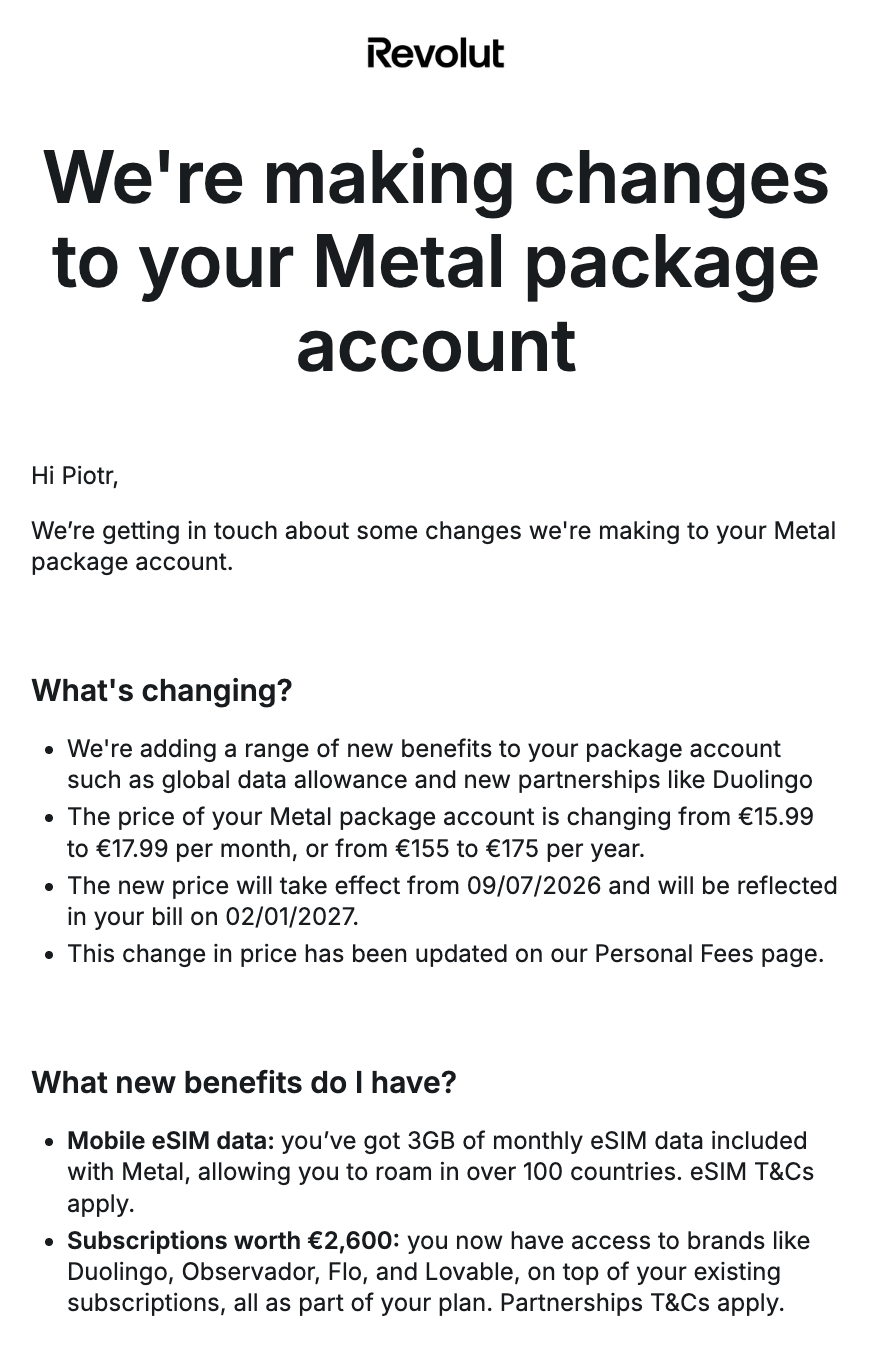
Indeed, at the beginning of my Chiang Mai trip, I used Revolut. They recently added a free monthly 3 GB allowance to my Metal plan. After depleting it, I switched to my Malaysian Hotlink eSIM roaming plan.
Mobile internet costs in Thailand
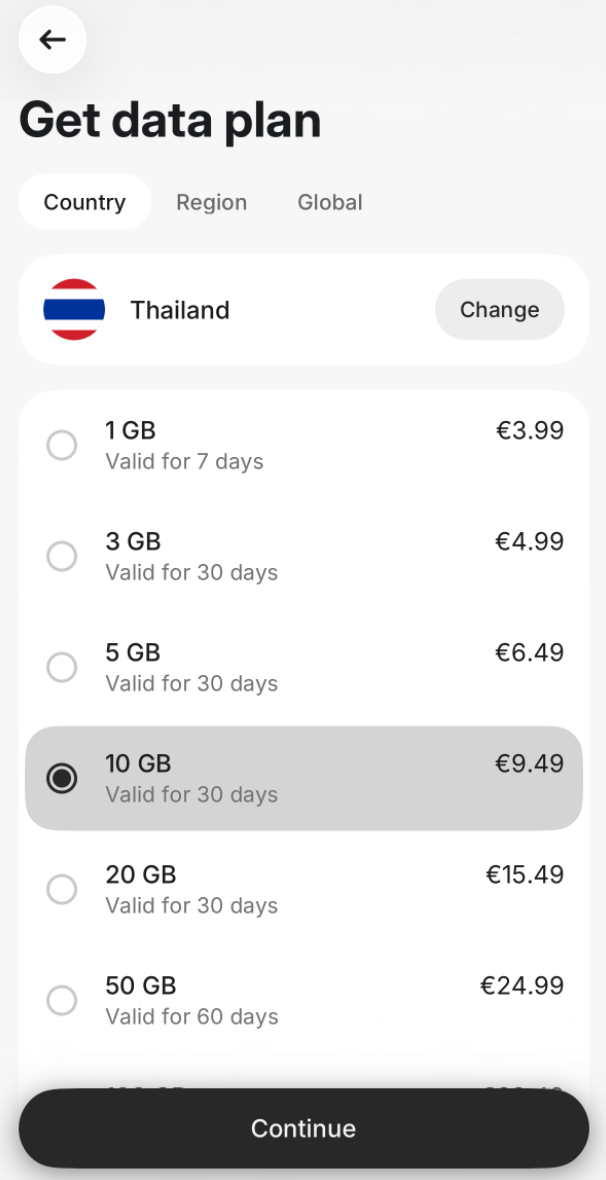
I started with Revolut because it's already bundled with my annual Metal subscription. Yet, I didn’t pay for extra GBs as they charge a premium for that. Specifically, 29 USD (24.99 EUR) for 50 GB per month.
I considered the highly advertised Thai eSIMs for tourists. But 36.50 USD (1,199 THB) per month was expensive. And you cannot extend or top up these eSIMs. So I'd need to buy a new one after a month.
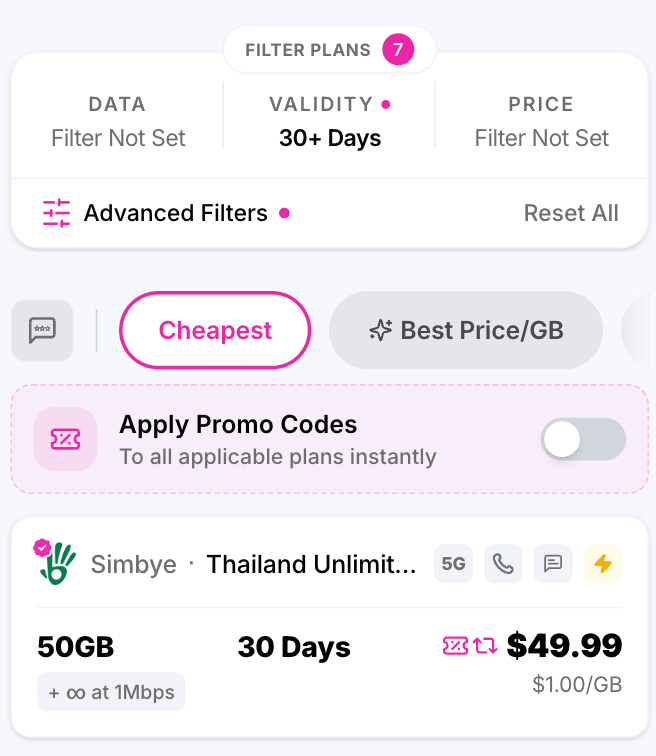
For other trips, like to India, I usually find a great deal at esimDB. But for Thailand, the prices were also around 50 USD per month.
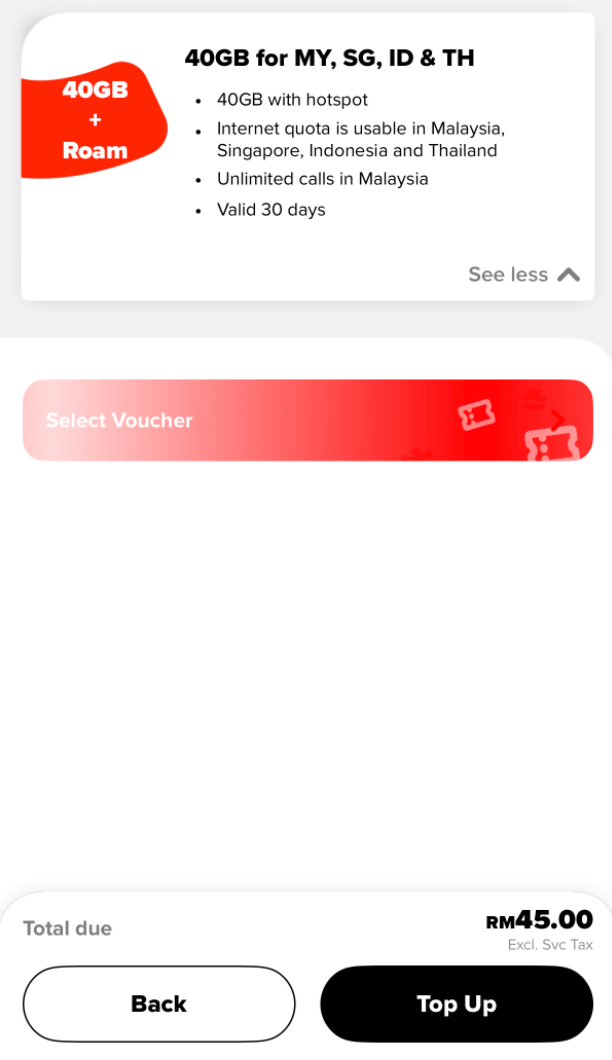
So I went with Hotlink. It’s a prepaid brand of Malaysian Maxis operator. Since I'm based in Kuala Lumpur, it was the most convenient option for me. Their roaming plan gave me:
- 40 GB per month
- Coverage in Thailand, Malaysia, Singapore and Indonesia
- Hotspot support (in case Wi-Fi was down)
All for just around 11 USD (45 MYR).


Internet speed and battery consumption were the catch
Only after a few weeks I had noticed the disadvantages of Hotlink roaming. Even though I was using 5G, the download and upload speeds were noticeably slower than in Malaysia. Also, latency was higher, making sites less responsive.
Fortunately, many mobile apps buffer data so they still work great. Like Google Maps with offline maps. Beeper that syncs messages in the background. Or my podcasts and audiobooks that are stored on my phone. Even Grab or Bolt worked fine for me. So I never experienced extreme slowness like on my China or India trips.
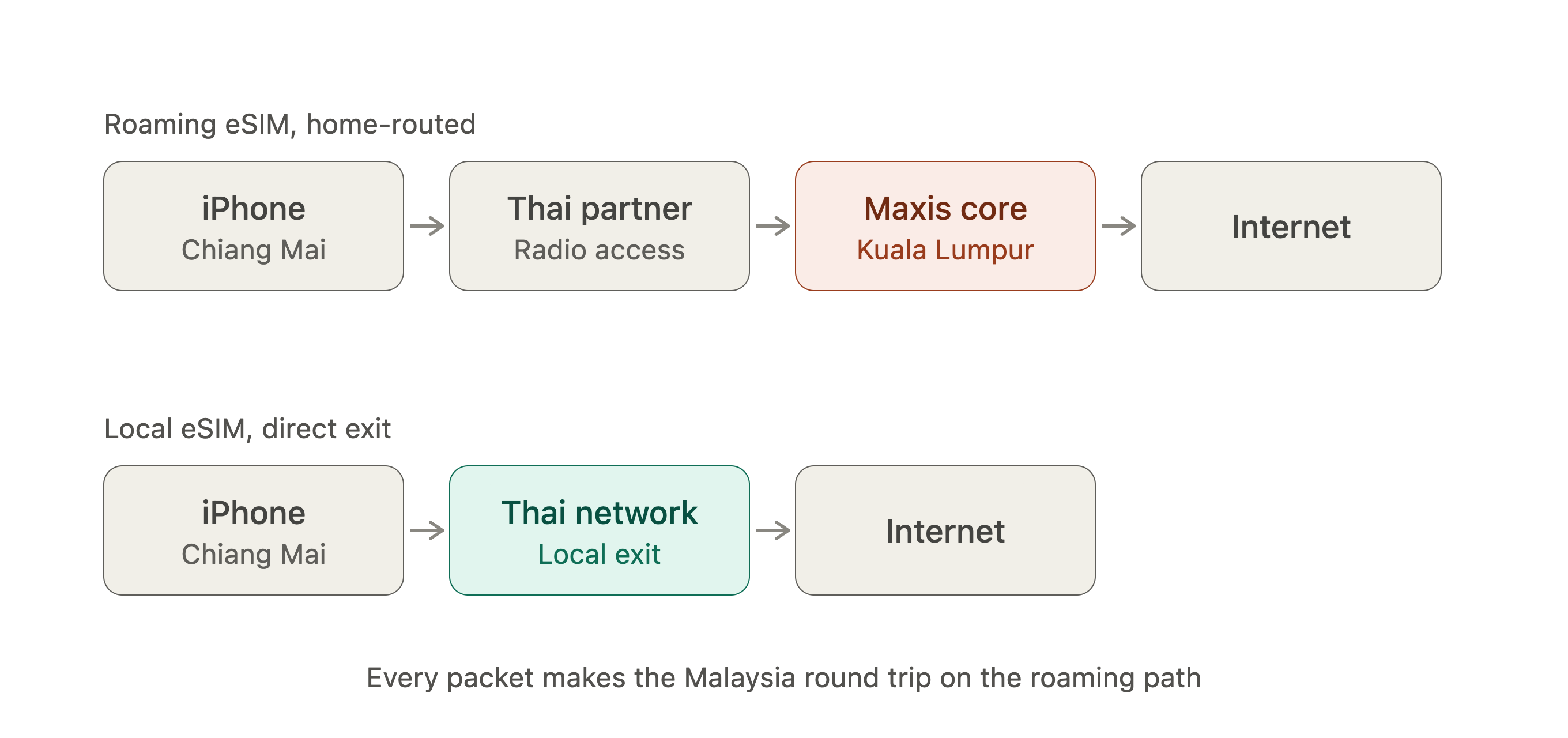
The other issue was high battery consumption. And it's something I fully grasped only now while researching details for this article. Roaming connects me to the local Thai network. The packets journey back to Malaysia, then link to the Internet. Similarly, if I'd be using a VPN set to a faraway country.
Comparison of eSIMs for Thailand
| Provider | Price per month (USD) | Price per month (THB/MYR) | Data per month (GB) | Local internet breakout |
|---|---|---|---|---|
| Malaysian Hotlink Roaming | $11.19 | RM 45.00 | 40 GB, shared across MY, SG, ID, TH | No — home-routed via Malaysia |
| Revolut eSIM | $29 | ฿964 | 50 GB | No — global roaming profile |
| dtac Happy Tourist | $36 | ฿1,199 | Unlimited (fair-use) | Yes |
| True Tourist SIM | $36 | ฿1,199 | Unlimited (fair-use) | Yes |
| AIS Tourist SIM | $36 | ฿1,199 | Unlimited (fair-use) | Yes |
| Simbye via eSIM DB | $50 | ฿1,660 | 50 GB, then unlimited at 1 Mbps | Should be local, but verify |
Wi-Fi culture in Thailand is strong
After the first month, I could have switched from Hotlink roaming to a local eSIM. However, I didn't need to, as Wi-Fi is everywhere in Thailand. Our apartment was the main online hub. Anytime we went to a cafe or coworking they had great Wi-Fi too. Same for our gym. Fast, dependable Wi-Fi was available in every location.
 Piotrek Bodera
It's no longer just foreigners asking for a Wi-Fi password. Every Thai person having a coffee or working out wants to connect to the Internet as well. I'm thrilled to see that! Because it motivates local businesses to invest in Wi-Fi infrastructure. Offering 2.4GHz and 5GHz bands to support a wide range of devices. And prominently displaying the Wi-Fi passwords to make it easy to connect.
The one issue I noticed on all Wi-Fi networks was slow upload speeds for big files. When I was uploading my videos, they would often timeout. Only uploading them via a VPN gave me higher speeds. The cap is due to Thai ISPs primarily offering asymmetric plans. With high download speeds and low upload speeds.
What connection should you choose?
I recommend following this order:
- If you work primarily on Wi-Fi, and mobile internet is just a backup, then use roaming. Either from your current ASEAN eSIM, like Hotlink. Or from Revolut. Or your current provider.
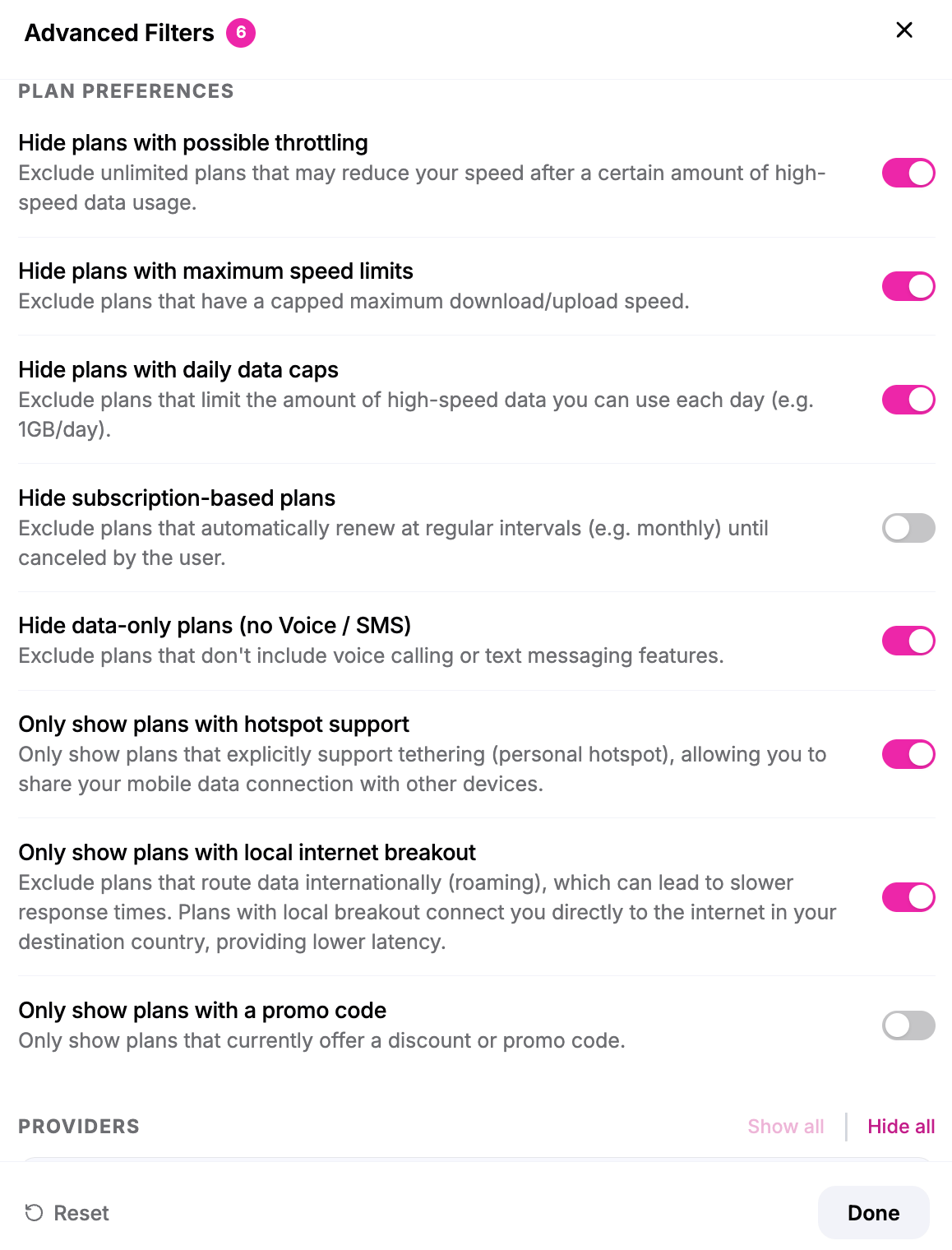
- If you require high speed, low latency, and low battery consumption, then pick a travel eSIM from esimDB. Buying and registering the eSIM is usually smooth. Just ensure that you filter an eSIM that has:
- hotspot support
- no daily data caps
- no throttling
- local internet breakout
- (optional) local phone number
- Pick the local eSIM from dtac, True or AIS only if the first two options are too expensive. Each Thai operator offers a dedicated tourist eSIM plan. With AIS even offering a 60-day plan. However, expect lengthy registration processes.
Over to you
What's your experience with Thai Internet connections? Which eSIM option worked best for you? Or did you find an alternative solution?
Reply and tell me what you think. I strive to respond to every comment, and I'd love hearing from you.
See you next Tuesday.


Discussion