


Marc Wieland wrote a great summary of how the Web is experienced by older generation. His grandma, like many other people on the Internet aren't tech-savvy. Which means that they don't know how to deal with:
- intrusive pop-ups,
- newsletter sign-ups,
- ads blended with content,
- CAPTCHA verifications,
- privacy notices,
- among many other things.
 Marc Wieland
He continues that his grandma has a very narrow use case: looking up general information to aid her crosswords. And like Marc, I'd recommend to stick to WhatsApp.
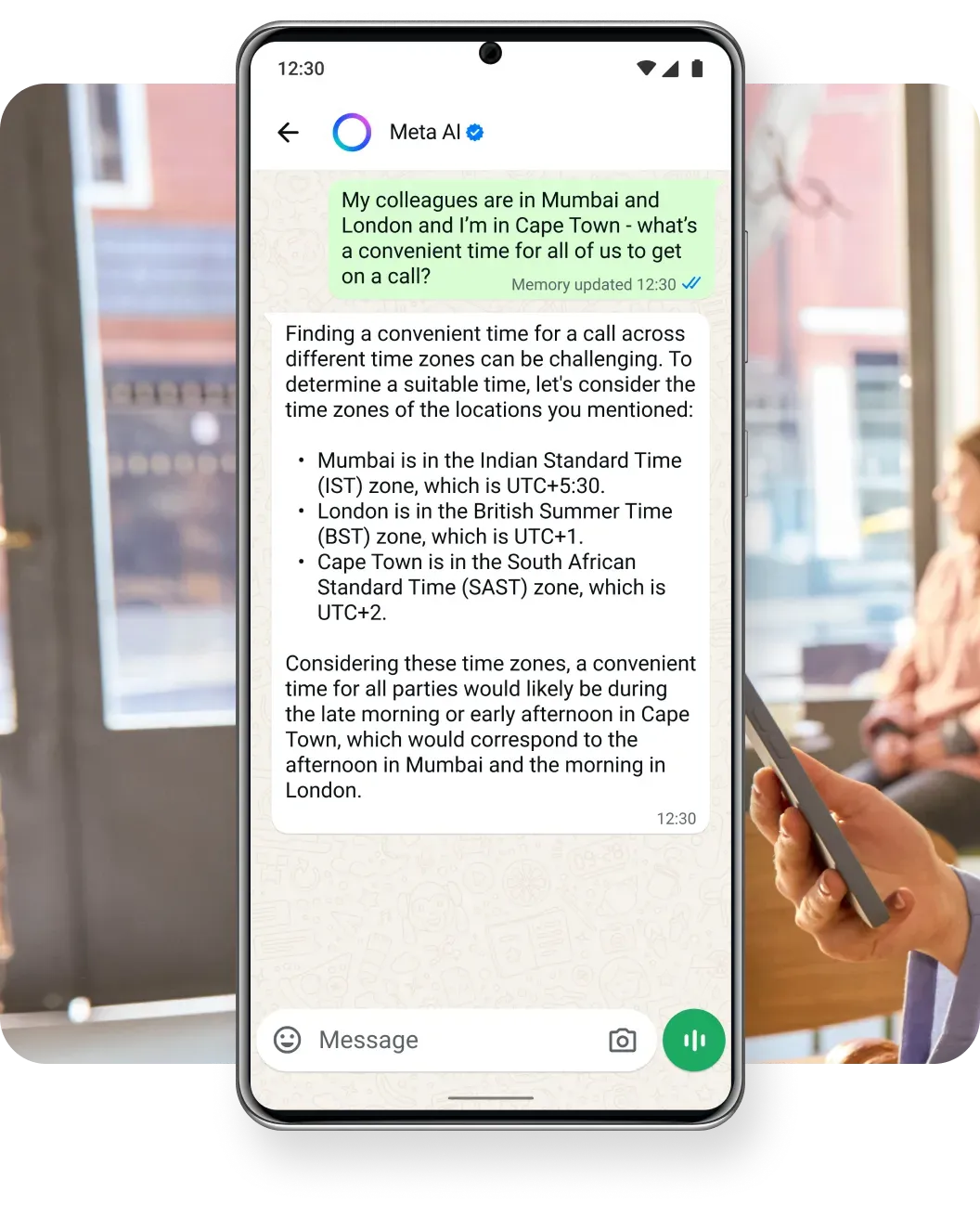
Even considering Meta's ambitions to monetize WhatsApp, the chat user experience remains constant. And now with their built-in AI assistant, many people have free access to good enough LLMs.
Mobile Apps
Most of the Internet traffic happens on smartphones. And most of smartphone usage is in the mobile apps. Like with the case of WhatsApp, the daily experience of billions of users is constant:
- no intrusive pop-ups,
- no newsletter sign-ups,
- no ads blended with content (if you don't go to Updates tab)
- no CAPTCHA verifications,
- no privacy notices.
This is why so many prefer sticking to the mobile apps. They are predictable, they enforce daily habits, and most importantly they are usable. In other words, an app serves its purpose very well. Even if it has very narrow Internet functionality.
In that perspective, web browsers (like Safari, Chrome, Brave) on smartphones are mobile apps that serve as a conduit. Between the former desktop era and the current smartphone era. Their purpose is to display the desktop website that's hopefully optimized and responsive to be readable on a smartphone screen. Yet, when many websites struggle with monetization, they clutter their already limited space with obstructive ads and subscription sign-ups. Or they are lost in privacy laws and technicalities which results in even more unusable websites.
Both Marc and I grew up with computers. Our families could afford an internet connection from the early days. Moreover, we are both curious and persistent, which helped us learn how to use the Web. Working in the field continuously develop our skills to deal with the online mess.
Was the Web ever working properly?
I don't think so. It's human nature to romanticize the past. For example, we enjoy the adventurous and comedic vibe of Pirates of the Caribbean, when in fact pirates were criminals on boats. I try to apply such reality check to the Web as I know it.
To learn about Internet history I often refer to Cory Doctorow — one of my favorite authors and activists. In his recent book “Enshittification”, he exemplifies how AT&T’s telecom monopoly in the USA wholly controlled communication industry. Only the government antitrust Breakup of the Bell System in the 1980s allowed the development of the free, decentralized network of networks that we now call the Internet.
In the 1990s and 2000s homepages became a thing. If you'd like to see a modern homage to these aesthetics, visit Pieter Level's site. And if you'd like to visit one that deliberately hasn't been modernized since 1995 go to paulgraham.com. Paul Graham, venture capitalist and c0-founder of Y Combinator is renowned for his essays about startup ecosystem. However, to read them you need to forget the standards of the modern Web:
- responsive design that adapts to the size of your screen,
- appropriate contrast that would make site's logo/title properly visible,
- size of font and navigation buttons to accommodate for touch screens,
- spacing, margins, and general layout that doesn't leave empty space.


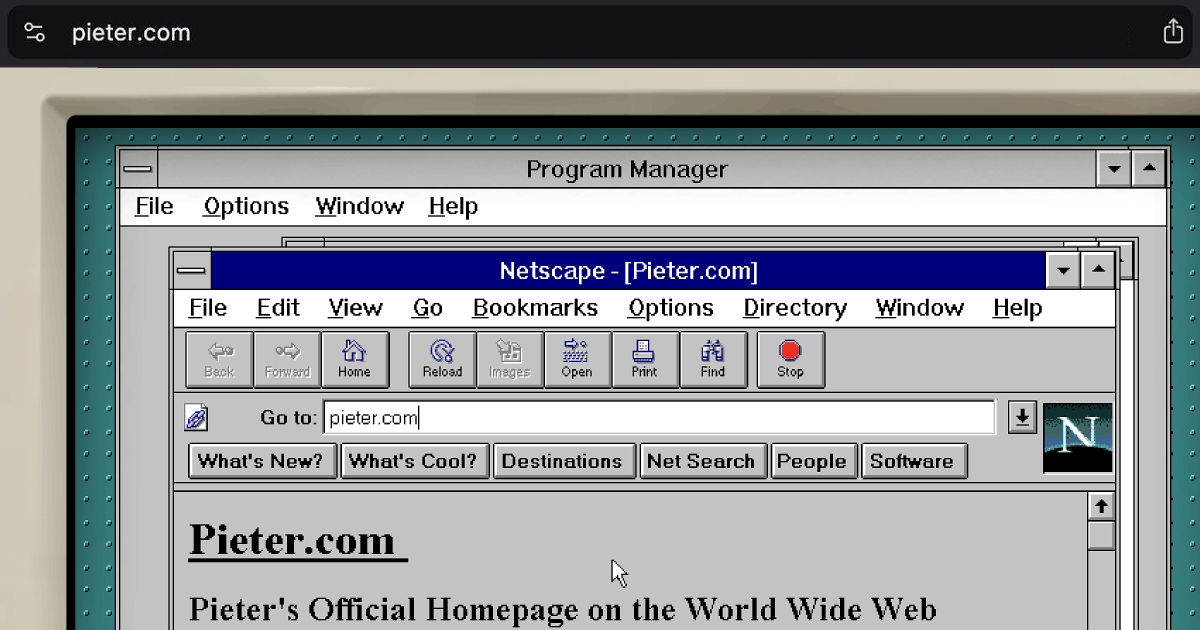
Pieter's site was created in late 2024 and uses 90s aesthetics as an art experiment
Another inflection point happened in the 2010s. Specifically, in regard to encrypted website connections. When more and more people started sharing their information via online forums, social media, and early ecommerce, sensitive details leaked. To address that, sites needed to get the SSL certificate.
Ben Thompson, an author that I look up to, had a major SSL certificate issue when he was setting up online payments in 2014. His Stratechery site pioneered paid newsletter business model. Yet to prevent customers' sensitive details from leaking, payment processors required the encrypted HTTPS site connection. Ben eventually solved it. Yet, SSL issues were common until the free Let's Encrypt certificate became the default solution.
Lastly, the 2020s seem to be dominated by privacy notices. As a European, I'm actually glad that EU is pushing for data protection. Granted, the current implementation of GDPR is horrendous. As a web developer, I spent most of 2024 trying to solve the GDPR configuration for our family business bmcars.pl. Google Ads, which we use to promote BM Cars, requires explicit consent for targeting. And GDPR requires separate consents for each purpose, which results in a giant list of checkboxes that each user has to click each time they visit a site.
Which brings us back to the current problematic state.
I prefer desktop Web over mobile browsing
My approach comes from privilege and experience. By knowing the Internet's ins and outs I make conscious choices about my online interactions. Even while there's an ongoing debate about the legality, morality, and impact of some solutions.
For example, Google Chrome used to be my default browser, especially due to its massive ecosystem of extensions. To load sites faster and without intrusive pop-ups, I used adblocks, like over 30% of other Internet users. But some adblocks were selling user data. Moreover Google surveillance capitalistic conduct meant they killed many ad blocks and spied on users even in incognito mode.
That's why Brave is now my default browser. It's open-source, and built-in adblock with privacy features means sites are loading faster than in Chrome. Brave also blocks pop-ups and cookie consents. As every site should respect browser privacy configuration. Indeed, EU is currently working on updating the GDPR to honor this. Which once implemented, should significantly decrease the amount of cookie banners.

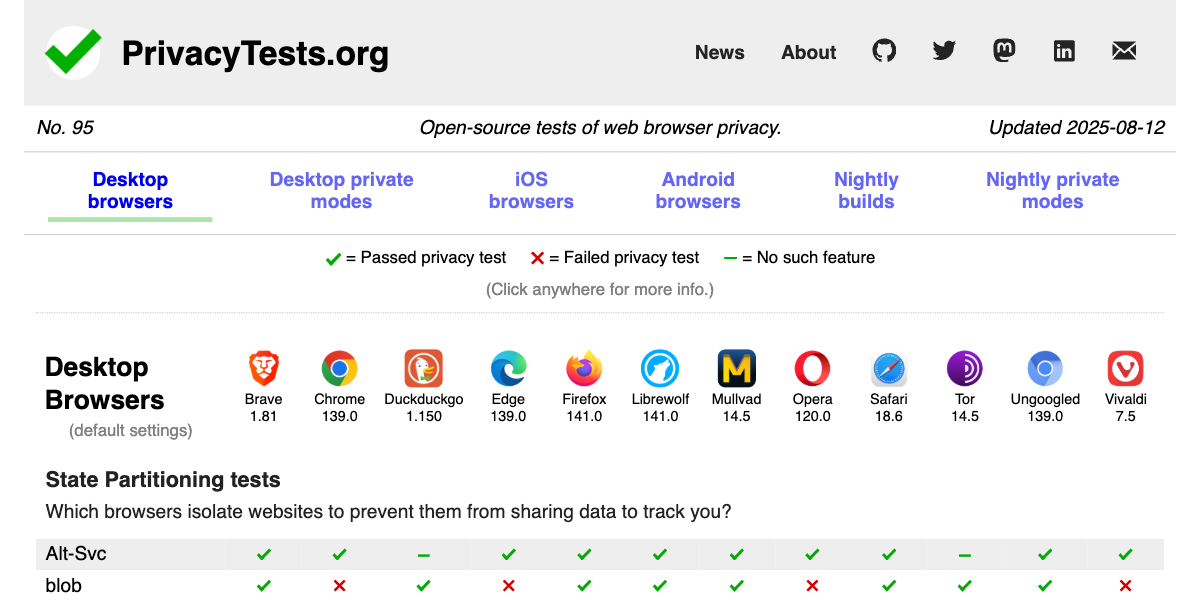
Brave continues to be one of the best privacy-focused browser as per this open-source chart
Multitasking is the other reason I prefer desktop web. My work requires:
- having multiple tabs,
- utilizing extensions,
- debugging in incognito mode,
- researching with AI tools,
- logging via VPN,
- grammar checking my writing,
- switching between browser profiles,
- recreating bugs in other browsers,
- using other non-browser desktop apps.
My daily habits, combined with web dev work and growing up with desktops result in specific approach to web. Approach that's functional and productive for me.
Limits of the Mobile Web
As mentioned earlier, I comprehend why majority of the Internet traffic happens in the mobile apps. Their UX is superior to clunky and technically challenging browsers' UX.
Yet, it's vital to understand that UX of the mobile apps in not guaranteed to remain superior. Moreover, access to Internet's world knowledge and resources is controlled by the app developer and their shareholders interests.
In case of WhatsApp it's Meta's shareholders who expect return of investments. That's why Meta eventually introduced ads and is pushing its AI products. In Malaysia, where I'm currently based, I use Grab, the local equivalent to Uber. Despite paying for Grab Unlimited subscription, the app attacks me with intrusive pop-ups and ads. And unfortunately, there's no web app through which I could order rides and block these ads.
The situation is even more bleak for users in China, where WeChat and AliPay are the primary apps. I visited China in 2024 and was surprised how archaic both apps feel. They try hard to be the “super apps” with endless services but loading screens, messy UI, and high latency degrades the user experience. Moreover, messaging and content are censored by the Chinese government and your app activity affects your credit and social score.
Lastly, North Korean smartphones show the total control of Internet experience. Or rather Intranet experience. Their government's fear of Korean citizens learning about other ideologies is so high that they:
- Allow browsing solely state-approved sites (hence, Intranet).
- Enforce registering for a license to use a smartphone.
- Capture continuous screenshots for everything you do.
- Autocorrect typed words: e.g. ”South Korea” to ”Puppet State”.
- Require subscription payments even for the most basic apps like built-in notes.
Social Media Web
Another avenue of accessing the web is via social media apps. Since most users use Instagram, X, etc., on their smartphones they see the web as it’s presented by these platforms. You rarely see posts with clickable links as historically social media deprioritize them. Going to a linked site means leaving their app and losing your monetizable attention.
That’s why every app now has a ”web view”. An integrated browser that displays a site but is limited to giving you this temporary preview. Every time you click Instagram ad or URL in a X post you remain in the social media app because it’s in their shareholders interest. This web view doesn’t offer regular browser features, like bookmarks, history, tabs or, dare I say it, an adblock. It does however record all your web activity to further improve social media ad targeting.
Enshittification of the web
If you’re not yet familiar with enshittification, I do recommend reading Cory Doctorow’s excellent book about it. He coined this term, and indeed the Web issues stem from the weak tech regulations. Luckily, the antitrust movement is rising thanks to grassroots efforts and building awareness like this article.
 Contributors to Wikimedia projects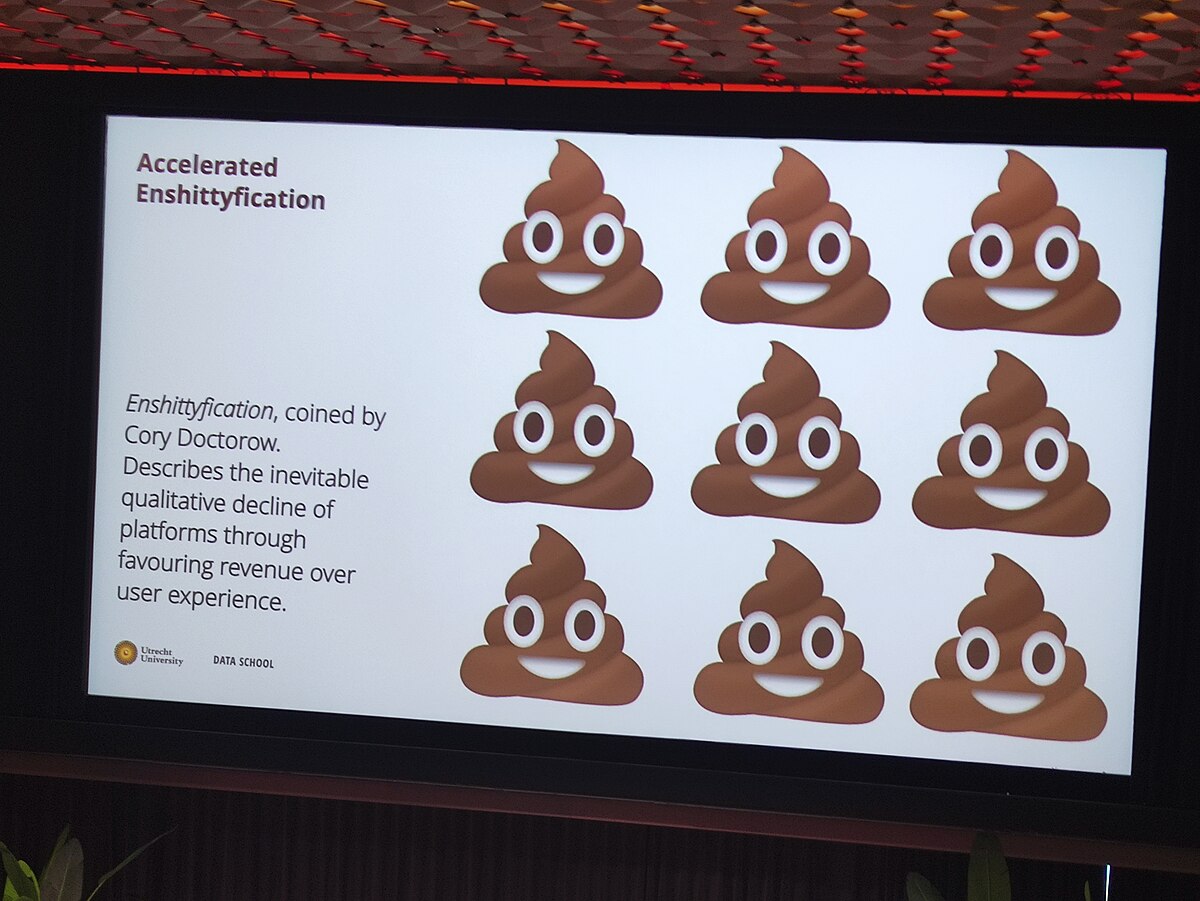
Is the AI Web the remedy?
For over a year I’ve been using Perplexity Pro as my main AI research tool. And I replaced Google with Brave Search for even longer time. Only a few times over that period I was fooled by the AI summary. Which means that for the dozens of searches I do daily, the AI output is good enough.
Such AI Web user experience is 10x better than the desktop Web or even mobile apps. It’s an overhaul of the Internet, and I love it! Especially because the AI chat interaction allows me to do things that were previously impossible. Like asking for clarifications.
The desktop Web means navigating poorly designed sites, and mobile apps only show what the shareholders want you to see. But with the AI Web I can dig deeper, ask infinite questions, and add exclusions, all in a neatly designed chat UI.
Researching and comprehending complex topics goes even further with browsers’ built-in AI assistants. As a Polish citizen, Portuguese tax resident, running a company in the UK, and nomading in Malaysia, I need to deal with convoluted government websites. Thanks to Perplexity’s Comet and Brave’s Leo (currently in beta) I finally understand my taxes, visas and other official obligations.
That’s all thanks to LLMs ability to amass, structurize, and codify large amounts of data.
Stay curious
Nomading in the real world is like accessing the Web. The more mileage you have, the better you know how to deal with all of this. Be discovering new places, in the digital and physical world, you gain skills. Like pattern recognition, spatial awareness, and humbleness. Most importantly, curiosity.
Despite the technical challenges and shareholders' pressure I remain fascinated by the Web. It keeps evolving. Every time some part of it is captured, a new and promising alternative springs like mushrooms in decaying soil. Like the Social Web.
The Web is a continuum. Going through phases. Each one solves some issues but as in any technology it introduces new challenges. Enjoy the ride!


Discussion